Guide
What to do in the first hour after someone clicks a phishing link.
Someone clicked. It happens in every district, and it is not the disaster. The disaster is the hour lost to panic, or the click that never gets reported because someone was too embarrassed to say so. Here is how to use that first hour well.
I’m a working K-12 technology director. The fastest way to contain a phishing incident is for the person to tell you quickly, and the fastest way to guarantee they won’t is to make the last person who clicked feel humiliated.
So the first move is cultural, and the rest is a short, calm checklist. Keep it somewhere your team can find at 7:50 on a Tuesday.
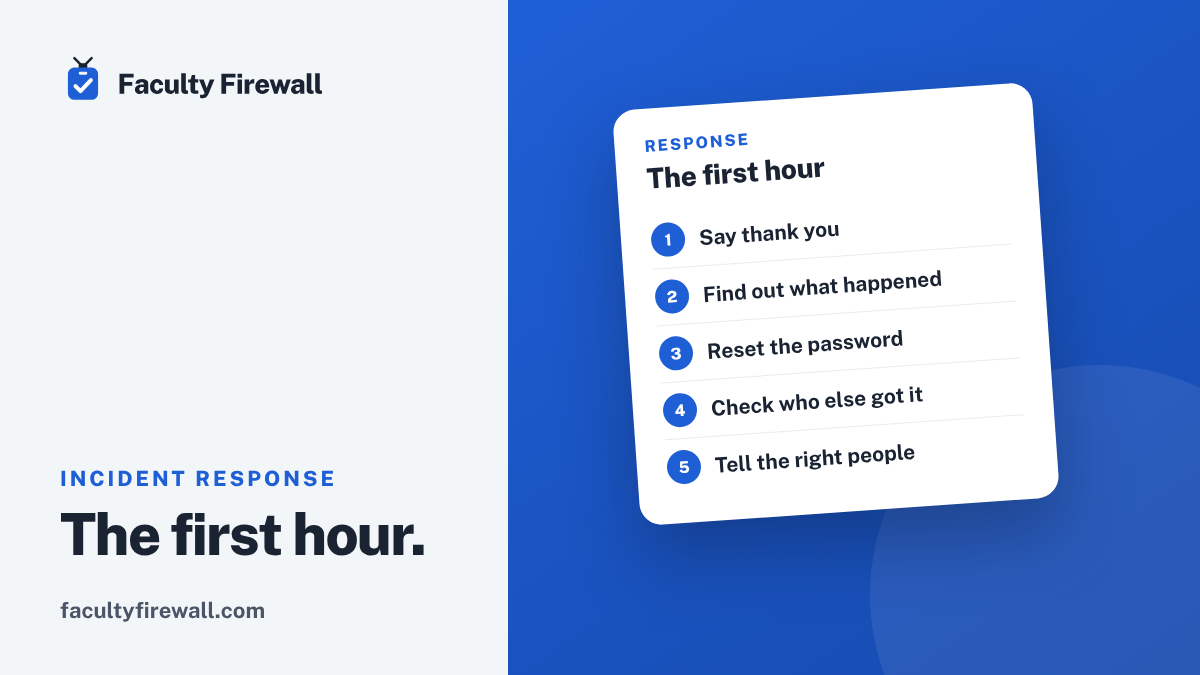
First, say thank you.
Whoever reported this did exactly what you want. Lead with that, out loud. A staff member who reports their own mistake is the behavior you are trying to build, so reward it even when they’re the one who clicked.
Find out what actually happened.
“I clicked a link” covers a lot of ground. Calmly establish which of these it was, because the response depends on it:
- They opened the email or clicked the link, and then stopped.
- They typed their password or other details into a page.
- They approved a 2-Step Verification prompt they didn’t start.
- They downloaded or opened an attachment.
- They bought gift cards, or changed banking or payment details.
If they entered a password.
Reset it now from your Admin console, and sign the account out of all its sessions. Then look for what an attacker does in the first few minutes, and undo anything you didn’t put there:
- New mail filters or forwarding rules.
- A changed recovery email or phone number.
- Recent sign-in activity from somewhere that isn’t your district.
If they approved a login prompt or an app.
An approved 2-Step prompt, or an OAuth “allow” on a malicious app, can hand over access without a password ever being typed. Reset the password anyway, revoke the account’s connected apps and active sessions, and check the same filters and forwarding rules.
If an attachment opened.
Now the device is the concern, not just the account. Disconnect it from the network, leave it powered on for whoever handles endpoint response if you have that, and reset the user’s password from a different, clean device.
Check who else got it.
One phishing email rarely lands alone. Search your mail system for the sender and subject, remove copies from inboxes if your tools allow it, and block the sender. Then warn staff plainly: a message like this went around, report it if you see it, and tell us if you clicked.
Tell the right people.
Follow your incident-response plan and your reporting obligations. Keep it factual: what happened, what you did, what’s left. If student or staff data may be involved, your district’s breach process and counsel decide the next steps, not a guess made in the moment.
Close the loop, kindly.
Go back to the person. Tell them what you found and that it’s handled. No lecture. A short, private “here’s the one tell that would have caught it” does more than a reprimand ever will, and it keeps them reporting next time.
Build the muscle before you need it.
The districts that stay calm in that first hour are the ones that practiced. A written one-page plan, a safe practice phishing email, and a no-shame follow-up process turn a scramble into a routine.
The click is the start, not the end.
You can’t prevent every click, and chasing zero is how you teach people to hide them. Aim instead for fast reports, a calm checklist, and a staff that trusts you with bad news. Handled that way, most clicks end as a quiet twenty minutes, not a headline.
Have the first hour ready before you need it.
The Faculty Firewall Kit includes a zero-shame follow-up plan, safe practice phishing with teaching pages, and the staff awareness that gets people reporting fast, in one district license.
Want to start with your own setup? The free Workspace audit walks the fourteen Admin console settings that limit the damage when a click gets through.
Sources
- Sophos, The State of Ransomware in Education 2025. sophos.com
- FBI San Francisco, warning on criminals using artificial intelligence, May 8, 2024. fbi.gov